
Did you find it difficult to read your output in the terminal or while running a python script? Here comes colorify. It will provide you a huge range of color to choose from to print any text in the terminal with color.
Install python3 :
apt install python3Install pip :
apt install python3-pipInstall the library :
pip install colorifylibrary usages:
colorify -hOr,
colorify --helpOutput
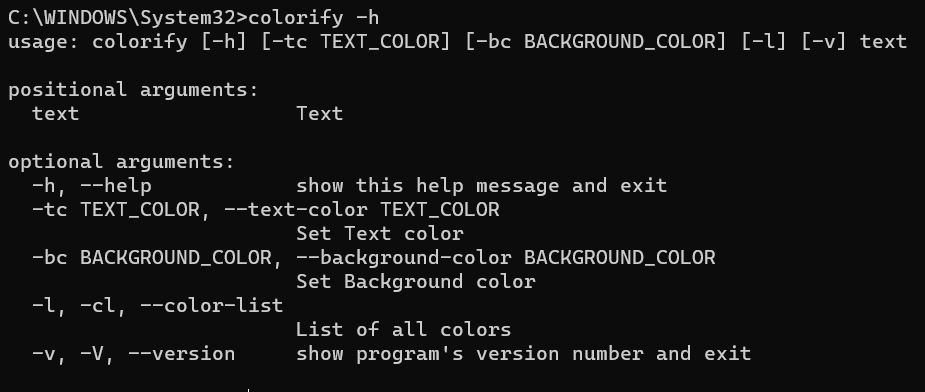 ____________
Example commands
colorify "Random Colored text"
colorify "Random Colored text"
colorify "Random Colored text"
colorify "Random Colored text"
colorify "Random Colored text"
colorify "Random Colored text"
colorify "Random Colored text"
colorify "Random Colored text"
colorify "Random Colored text"
colorify "Random Colored text"
Output
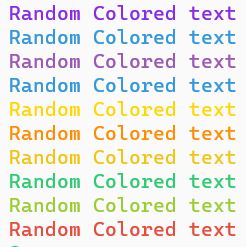 ____________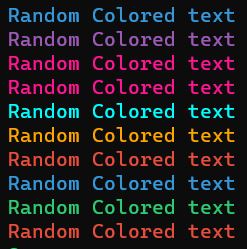
1. First output is generated from light themed terminal
2. Sencond output is generated from dark themed terminal
Example commands:
# text color = green
colorify -tc green Success
# text color = black , background color = green
colorify -tc black -bc green Succes))

colorify -tc red Error
colorify -tc white -bc red Error

colorify -tc orange Alert
colorify -tc black -bc orange Alert

colorify -tc blue Info
colorify -tc white -bc blue Info
Or,
# text color = green
colorify --text-color green Success
# text color = black , background color = green
colorify --text-color black --background-color green Succes))

colorify --text-color red Error
colorify --text-color white --background-color red Error

colorify --text-color orange Alert
colorify --text-color black --background-color orange Alert

colorify --text-color blue Info
colorify --text-color white --background-color blue Info
Output
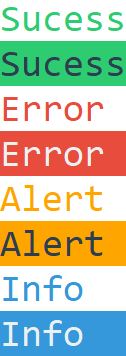 ____________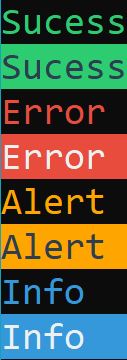
1. First output is generated from light themed terminal
2. Sencond output is generated from dark themed terminal
Example code:
from colorify import *

# initializing COLORIFY
init_colorify()

#this will generate text in random color each time
for i in range(10):
    print(colorify("Random Colored text"))
Output
____________
1. First output is generated from light themed terminal
2. Sencond output is generated from dark themed terminal
Example code:
from colorify import *

# initializing COLORIFY
init_colorify()

# text color = green
print(colorify("Sucess", C.green))
# text color = black , background color = green
print(colorify("Sucess", C.black, C.green))

print(colorify("Error ", C.red))
print(colorify("Error ", C.white, C.red))

print(colorify("Alert ", C.orange))
print(colorify("Alert ", C.black, C.orange))

print(colorify("Info  ", C.blue))
print(colorify("Info  ", C.white, C.blue))
Output
____________
1. First output is generated from light themed terminal
2. Sencond output is generated from dark themed terminal
In command line:
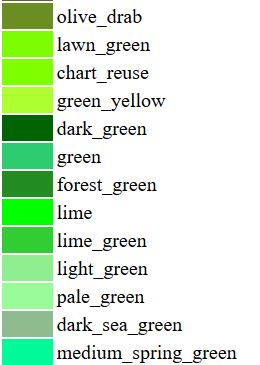
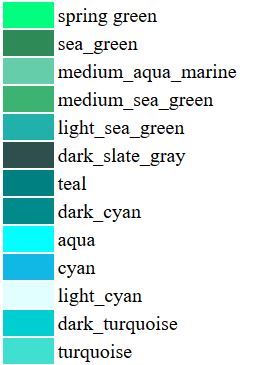
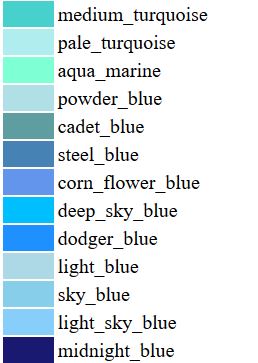
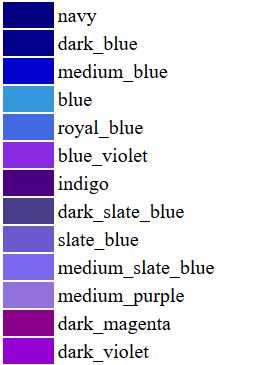
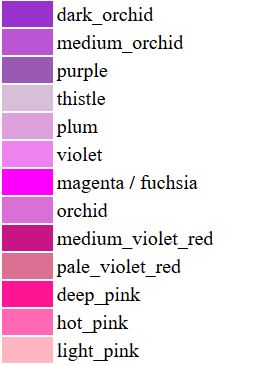
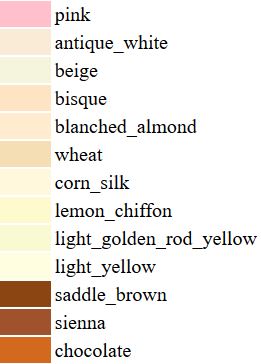
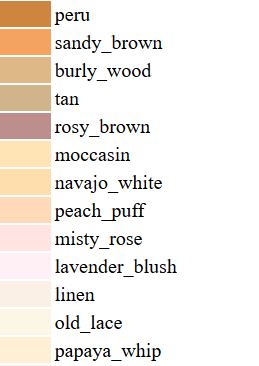
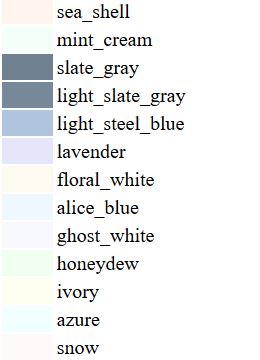
colorify [-h] [-tc TEXT_COLOR] [-bc BACKGROUND_COLOR] [-l] [-v] textList all color:
colorify -lOr,
colorify -clOr,
colorify --color-listIn python script:
print(colorify("Your text", C.TEXT_COLOR , C.BACKGROUND_COLOR))List all color:
from colorify import *

# initializing COLORIFY
init_colorify()
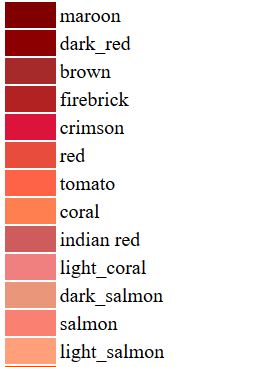
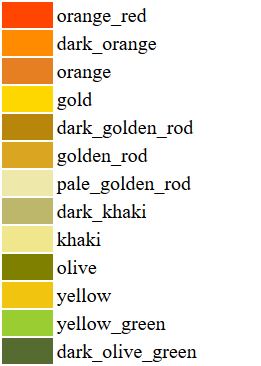
#this will print the list of all available color
printAllColor()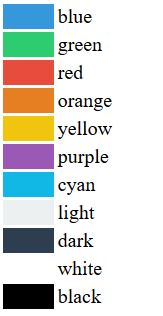
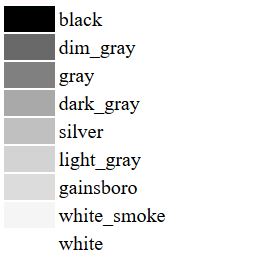
#use your own RGB color
print(colorify("Your text", (r,g,b) , (r,g,b)))