
Winlator is an Android application that lets you to run Windows (x86_64) applications with Wine and Box86/Box64.
⚠️ This fork is currently under maintenance.Do not download or attempt to use this build. It is not ready for testing and will not work properly until the first beta release.
If you need a working Windows emulator for Android, use the original Winlator by brunodev85.
- Download and install the APK (Winlator_11.0.apk) from GitHub Releases
- Launch the app and wait for the installation process to finish
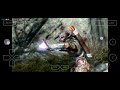
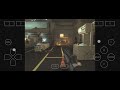
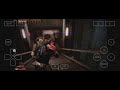
- If you are experiencing performance issues, try changing the Box64 preset to
Performancein Container Settings -> Advanced Tab. - For applications that use .NET Framework, try installing
Wine Monofound in Start Menu -> System Tools -> Installers. - If some older games don't open, try adding the environment variable
MESA_EXTENSION_MAX_YEAR=2003in Container Settings -> Environment Variables. - Try running the games using the shortcut on the Winlator home screen, there you can define individual settings for each game.
- To display low resolution games correctly, try to enabling the
Force Fullscreenoption in the shortcut settings. - To improve stability in games that uses Unity Engine, try changing the Box64 preset to
Stabilityor in the shortcut settings add the exec argument-force-gfx-direct.
- GLIBC Patches by Termux Pacman
- Wine (winehq.org)
- Box86/Box64 by ptitseb
- Mesa (Turnip/Zink/VirGL) (mesa3d.org)
- DXVK (github.com/doitsujin/dxvk)
- VKD3D (gitlab.winehq.org/wine/vkd3d)
- CNC Ddraw (github.com/FunkyFr3sh/cnc-ddraw)
Special thanks to all the developers involved in these projects.
Thank you to all the people who believe in this project.